FREE & OPEN-SOURCE JSFX PLUGIN FOR REAPER

A plug-in workflow for your Prophet Rev4.

ReaProphet is a JSFX plugin for REAPER that brings full program editing, preset browsing, Stack and Split control, two-way hardware communication, and verified project recall into one scalable interface for the Sequential Prophet-5 and Prophet-10 Rev4.

  • Free and open-source JSFX editor and librarian built specifically for REAPER
  • Searchable preset browser, full program editing, and Stack/Split control
  • Two-way Prophet communication, SysEx tools, backups, and verified project recall
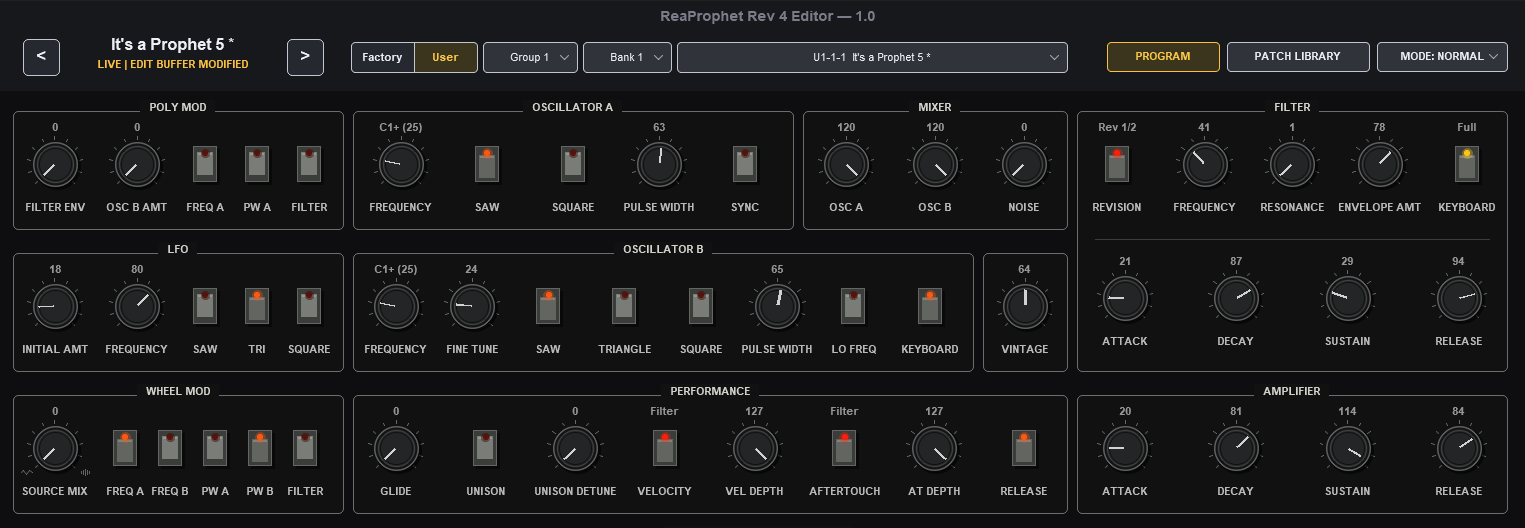
ReaProphet main editor interface

Click any screenshot to enlarge and zoom.

FEATURES

A complete Prophet workflow inside REAPER.

ReaProphet combines editing, preset management, hardware communication, layered sound design, and project recall in one free and open-source JSFX plugin for REAPER.

Preset Browser and Librarian

Browse the Prophet’s stored programs and imported SysEx collections through a modern, searchable library. Audition sounds, mark favorites, assign categories, drag and drop replacements, and manage individual programs or complete banks without leaving the editor.

  • Searchable 400-program hardware library and local SysEx banks
  • Favorites, categories, auditioning, and drag-and-drop workflows
  • Single-program and bank import/export
  • Hardware bank backups and automatic safety backups before major writes
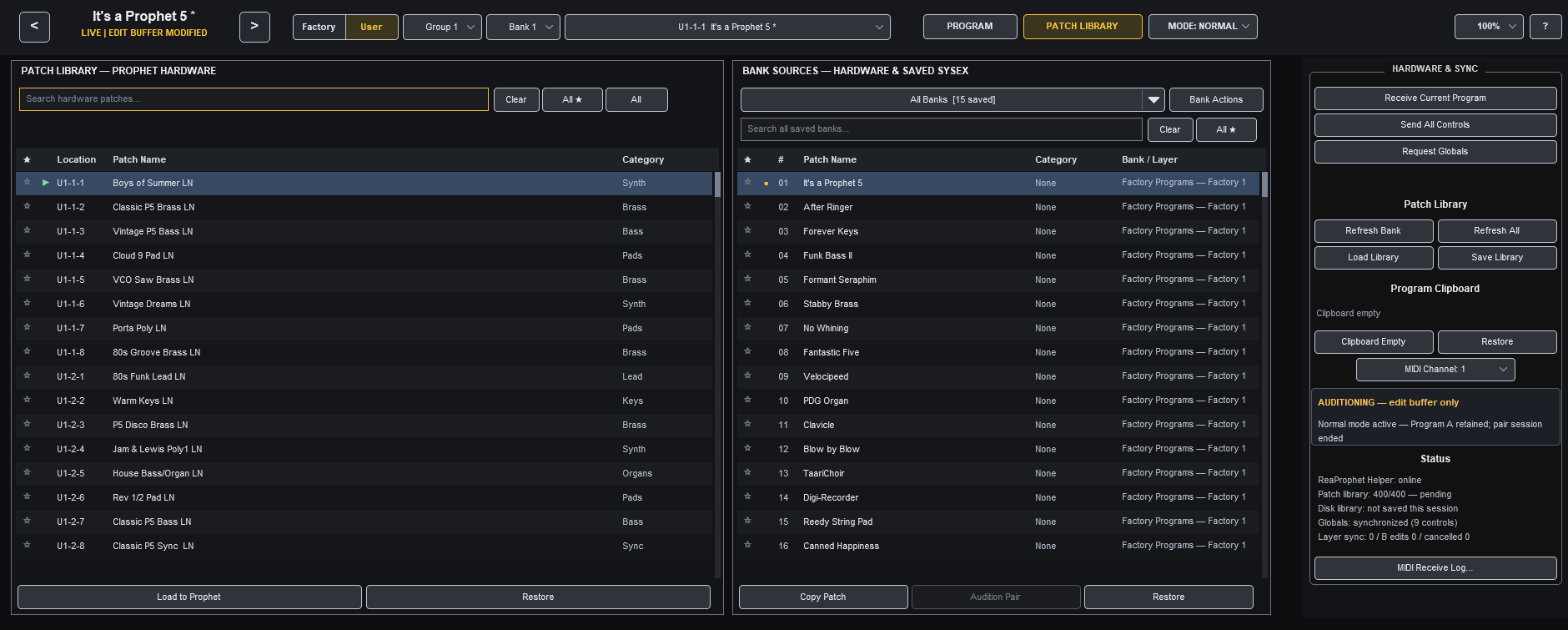
ReaProphet searchable preset browser and librarian

Full Program Editing

Edit the Prophet’s program architecture from a clean, plug-in style interface that keeps the current sound, source location, reference state, and unsaved changes easy to understand.

  • Fast access to the complete supported program architecture
  • Supported front-panel changes are reflected back in the editor
  • Automatic echo filtering prevents duplicate messages and MIDI feedback loops
  • Clear loaded, modified, auditioning, and project-local status
ReaProphet program editing interface

Complete Stack and Split Editing

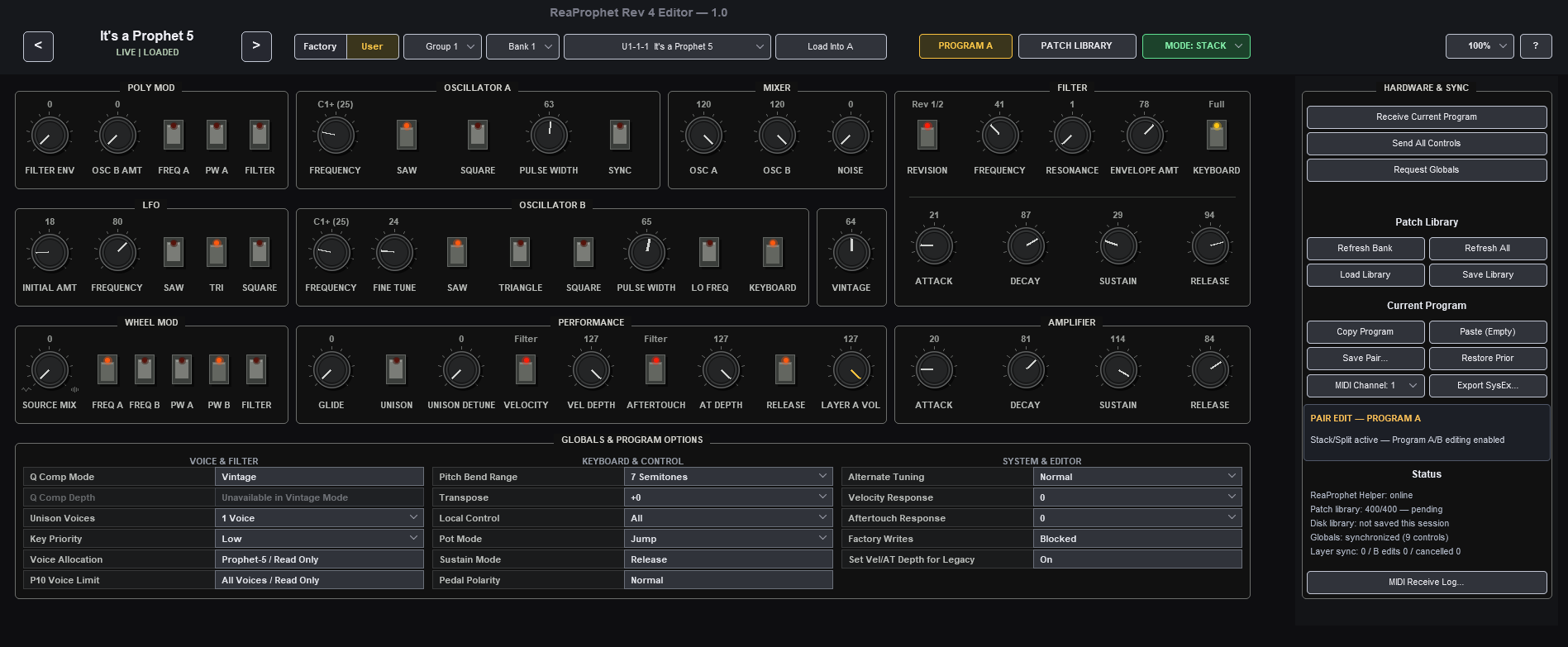
Work with Program A and Program B as distinct, fully editable layers inside a single Stack or Split sound. Each layer keeps its own program image, name, location, reference, and modified state, so layered editing remains clear and predictable.

  • Direct Program A / Program B switching from the Program page
  • Independent names, locations, references, and unsaved-change states
  • Save, audition, swap, and restore complete pairs
ReaProphet Program A and Program B editing

Project Recall with Restore Prophet

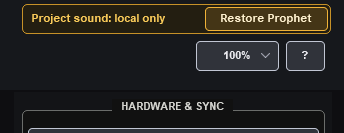
ReaProphet saves the complete Normal, Stack, or Split sound with the REAPER project or FX preset. When the project is reopened, the saved sound returns locally without unexpectedly changing the physical synth. Choose Restore Prophet when you are ready to transmit the sound and verify the result through hardware readback.

  • Complete project persistence for Normal and Program A/B sounds
  • No surprise MIDI transmission during project loading
  • Explicit preflight, transmission, readback, and verification
ReaProphet Restore Prophet project recall controls

MORE BUILT IN

The supporting workflow is covered too.

Supported Global Settings

Read the Prophet’s Global state and transmit most settings exposed by the hardware’s remote-control implementation, including common MIDI, tuning, pedal, velocity, aftertouch, and system-behavior options.

A small number of Prophet Globals have no assigned remote-write command and therefore cannot be changed from software.

Scalable, Resizable Interface

Choose from multiple interface sizes for laptops, desktop monitors, and high-resolution displays. Controls, labels, dialogs, and status information scale together while the overall workflow stays consistent.

Built-In Help

An integrated Help page covers setup, MIDI routing, program states, librarian tools, Stack and Split workflows, saving, project recall, and recovery without requiring you to leave REAPER.

Protected Writes and Backups

Stored-program, pair, replacement, and bank operations use confirmations, verification, and safety backups where appropriate, reducing the chance that an incorrect destination becomes permanent data loss.

SCREENSHOTS

See ReaProphet in action.

A closer look at the main editor, patch library, and layered Program A / Program B workflow. Click any image to enlarge and zoom in for detail.

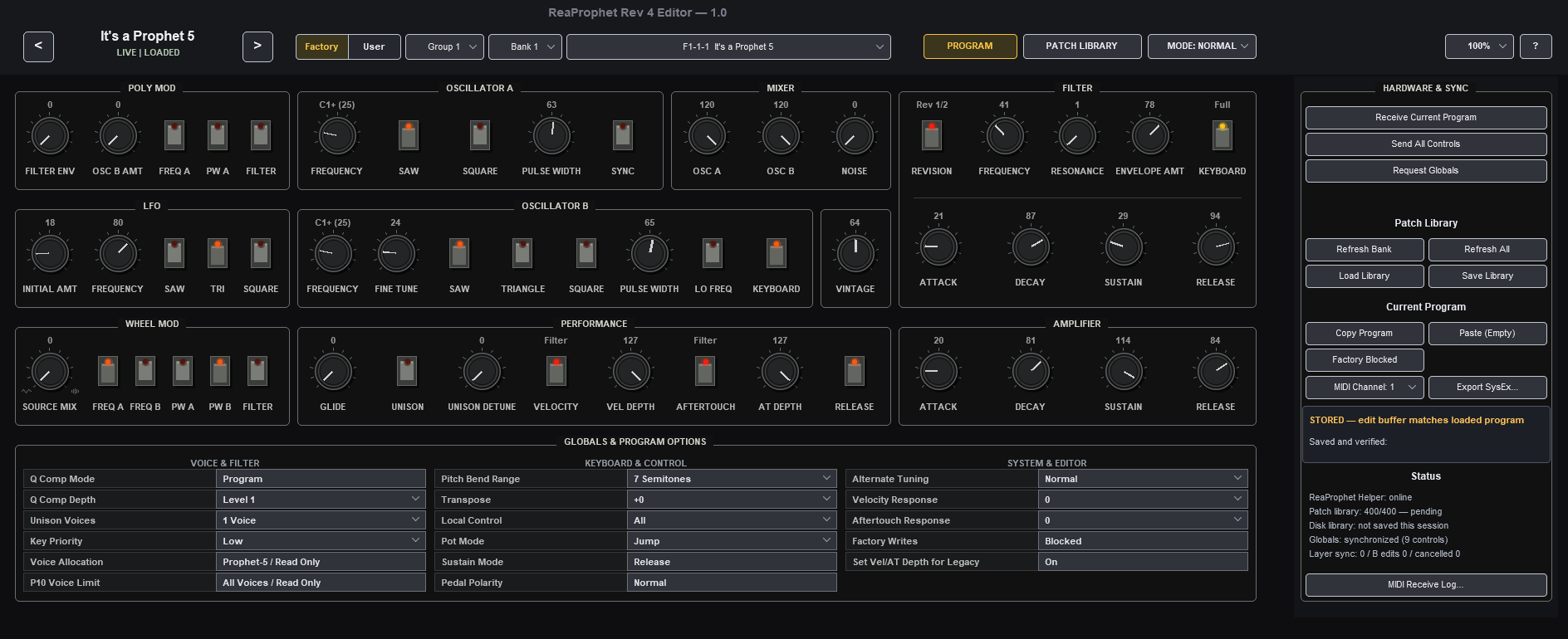
ReaProphet main editor
Main Program editor
ReaProphet patch library
Patch library and browsing
ReaProphet Stack and Split editor
Program A / Program B editing

WHY IT’S DIFFERENT

Designed for real-world hardware use.

ReaProphet does more than mirror controls. It is built around the realities of working with an external synth inside a DAW: edit buffers, stored memory, project recall, transport safety, scalable UI behavior, and the difference between a sound that exists locally in the project and a sound that has actually been restored to the hardware.

The result is a workflow that feels closer to using a plugin while still respecting the Prophet as physical hardware.

1

Load or build a sound

Edit a program, audition library sounds, or build a full Stack or Split inside ReaProphet.

2

Save your REAPER project

The full project sound is preserved with the session, including A/B state when relevant.

3

Reopen later

ReaProphet restores the sound locally first, so you can review it without immediately changing hardware.

4

Click Restore Prophet

Transmit and verify the saved sound only when you are ready to bring the hardware back to the project state.

DOWNLOAD

Ready to try ReaProphet?

Download the editor, helper script, and documentation, then integrate your Prophet Rev4 into REAPER with a faster, more modern workflow. ReaProphet is free and open source.